

More about this example Contractor permit to work board
In short, make all the steps in your permit to work system visual.
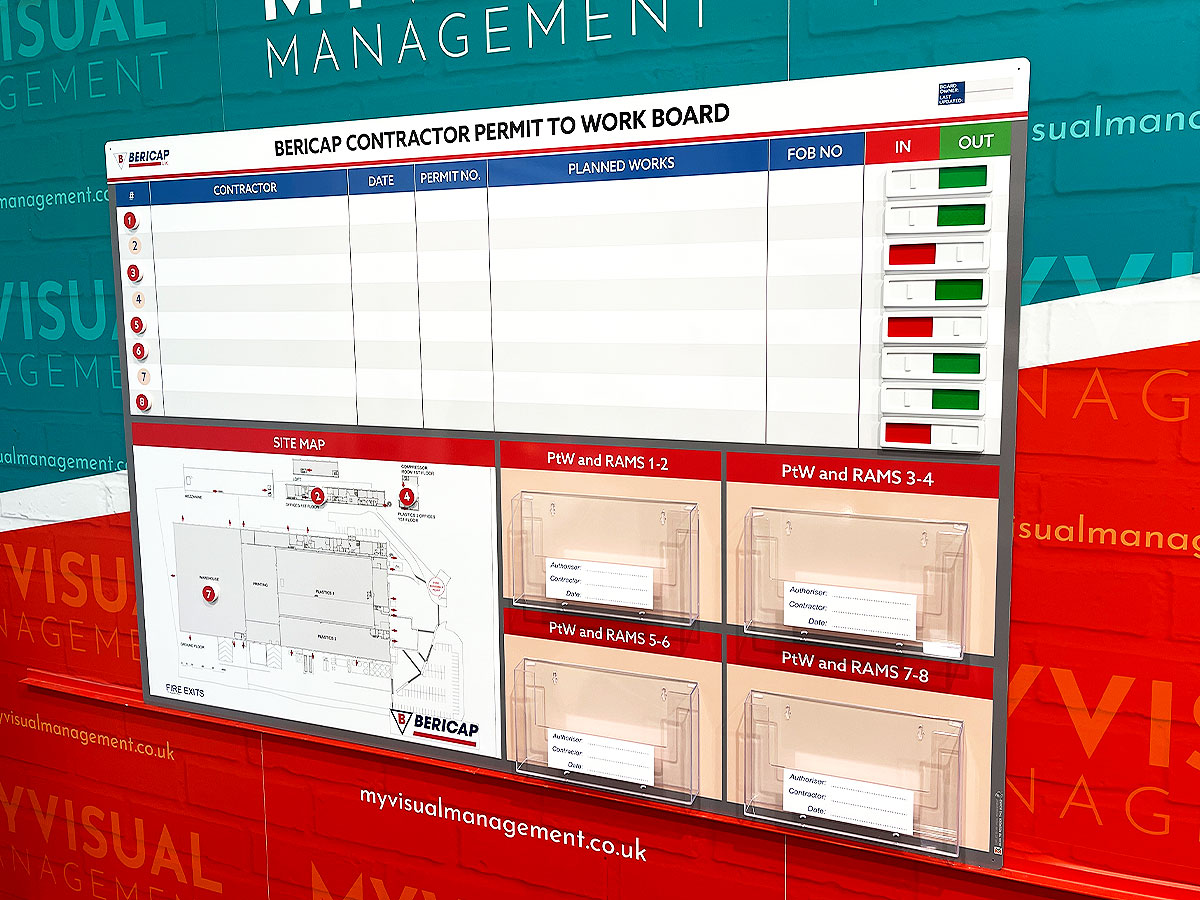
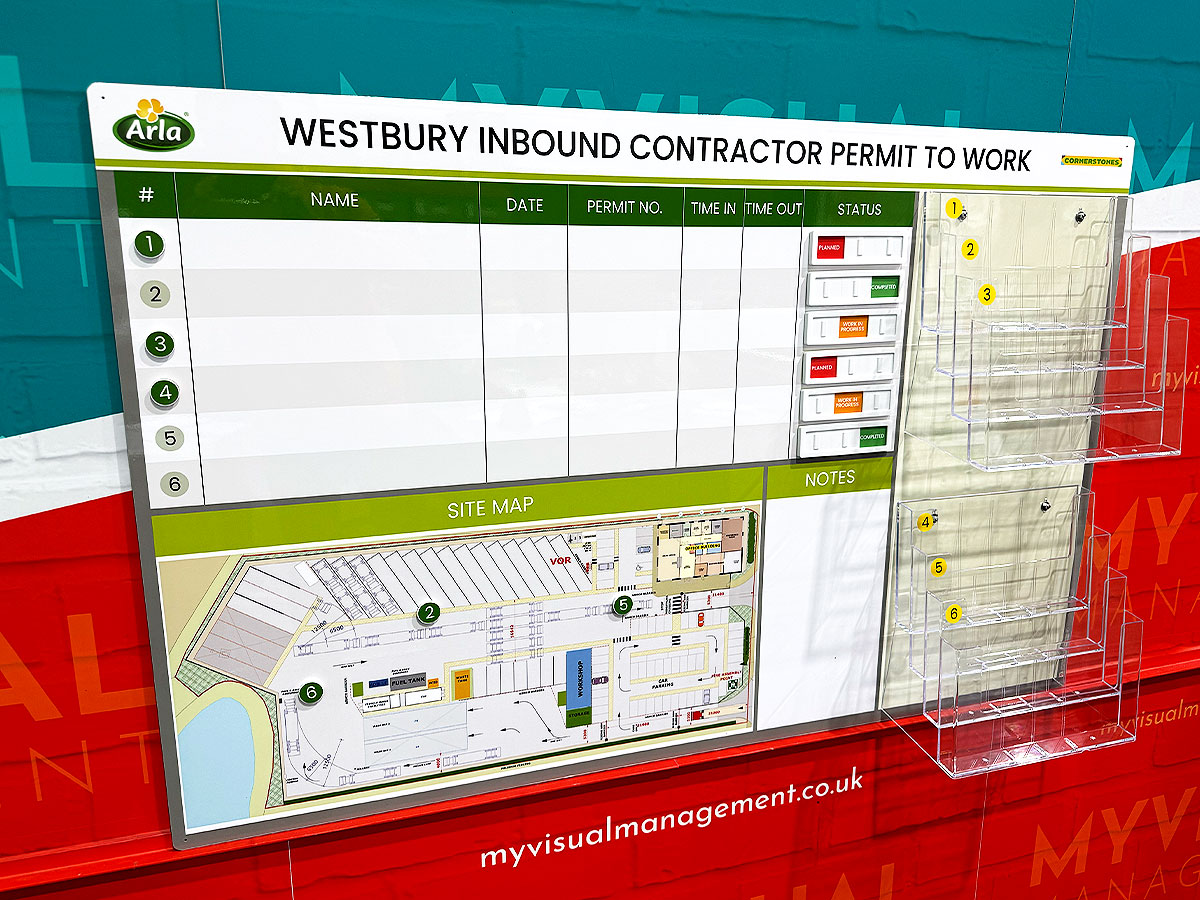
Contractor permit to work board keeps track of contractors on site
Above all, make your permit system visual and accessible. As a result, make visible who is authorised to carry out work. Likewise, log the specific type of work. Finally, specify the time frame. Most importantly, set out all precautions for working safely on your site.
Track contractor locations with magnetic counters
So, add coloured magnetic status counters to your Contractor work permit station to keep track of who is working where. These can be numbered for ease of tracking location.
Add your site map as a magnetic overlay
Futureproof your Contractor permit to work board by adding your site map as a removeable magnetic overlay, such as in this example. Therefore, make future updates easily and economically.
Document holders for your Contractor permit to work board
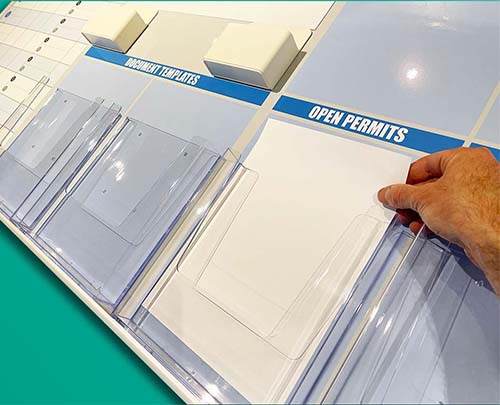
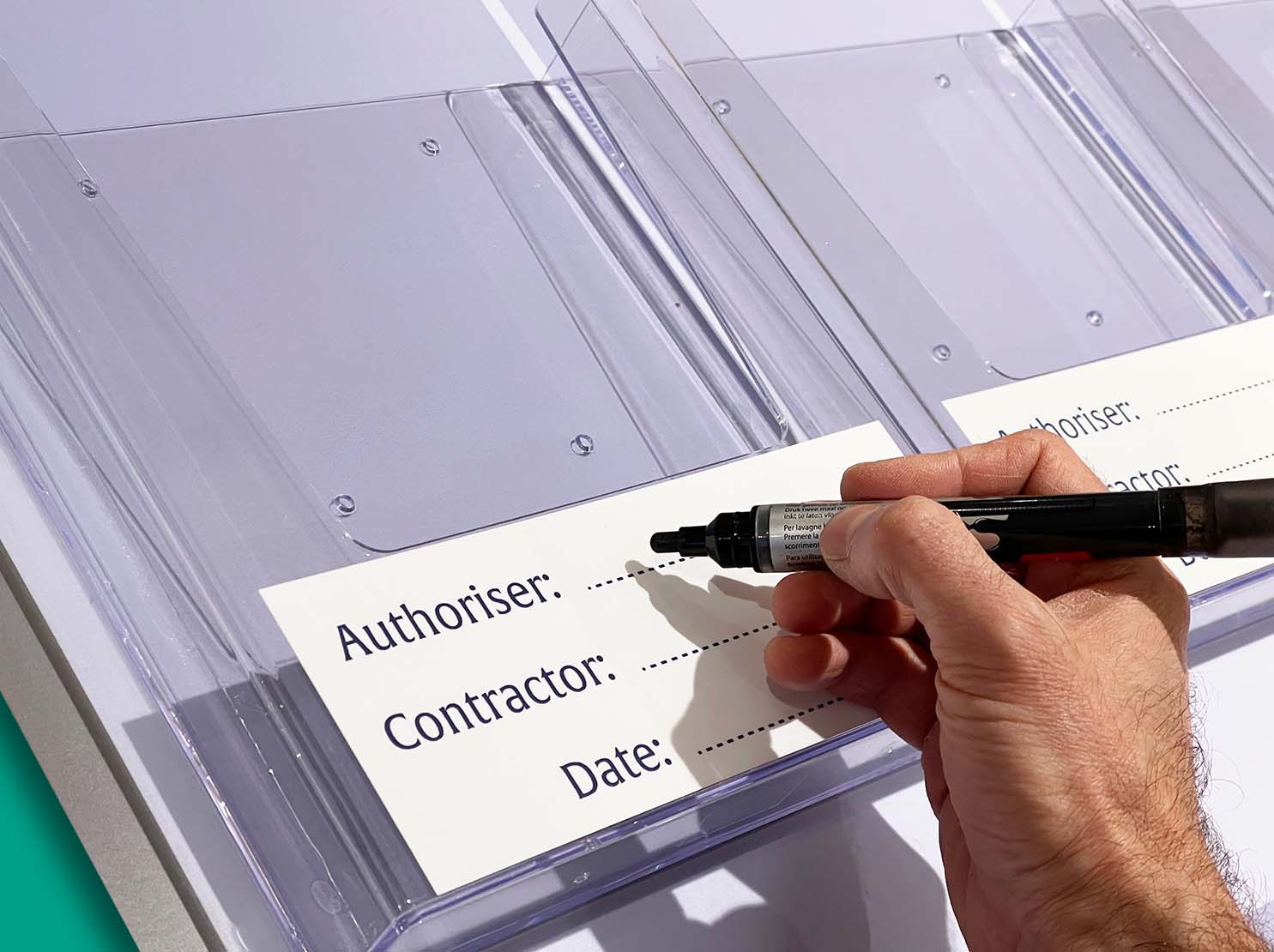
So, make permit books or permit documents easily accessible. Therefore, use document holders to keep them safe. Firstly, store multiple sheets or books. So, achieve this with multi-sheet document holders, like the ones used on this example. Furthermore, add a custom dry wipe labels to update contractor details easily and quickly.
Dry wipe Contractor permit to work board
Update key information instantly. For example, write contractor names directly on your board. Erase, amend, edit easily anytime. Similarly, complete tick or check columns. Therefore, show progress in real time.
See more Permit Boards here.
Show your procedures on your Permit board
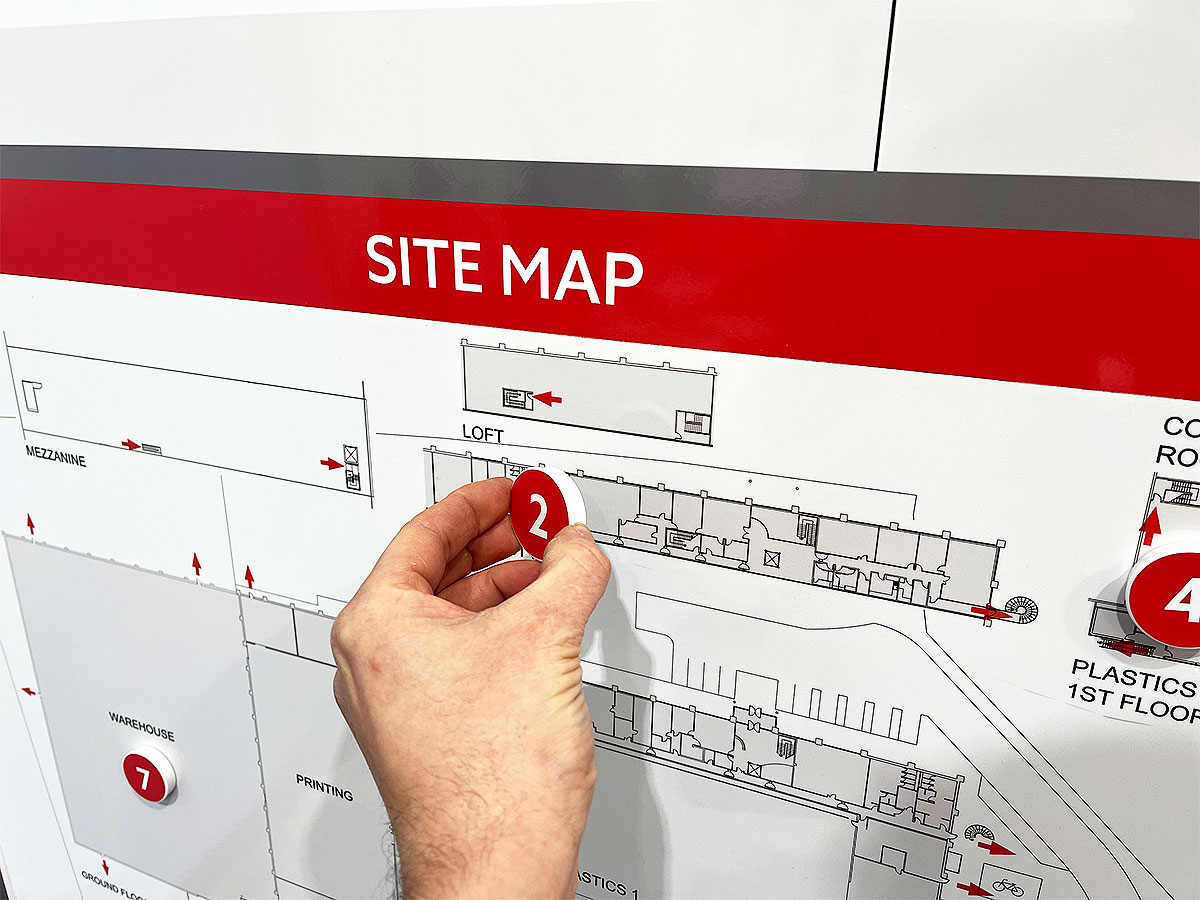
Keep track of contractors with magnetic status counters. Alos, futureproof your board by using a magnetic overlay for your site map
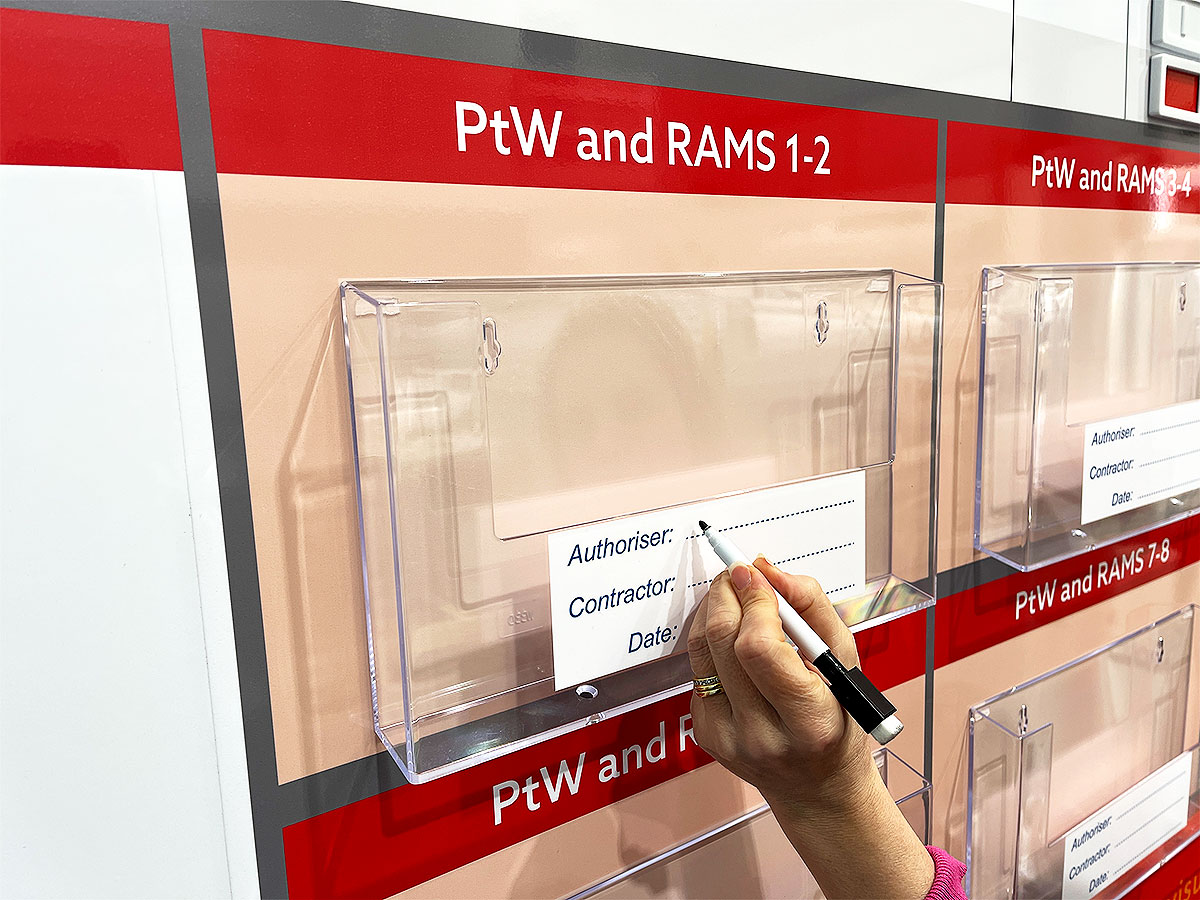
Safely display documents using document holders
Further examples of our Permit Boards


Contractor status counters

With multi-sheet document holders

Contractor work permit station

Scaffolding board with status counters

Permit to work board

Permit board with status sliders

Contractor Permit to Work

Contractor Permit to Work board
Contractor Permit to Work

Engineers Permit Board

Contractor Permit board

Activity Management Permit Board

Add status counters to your site map

Visual management for contractors
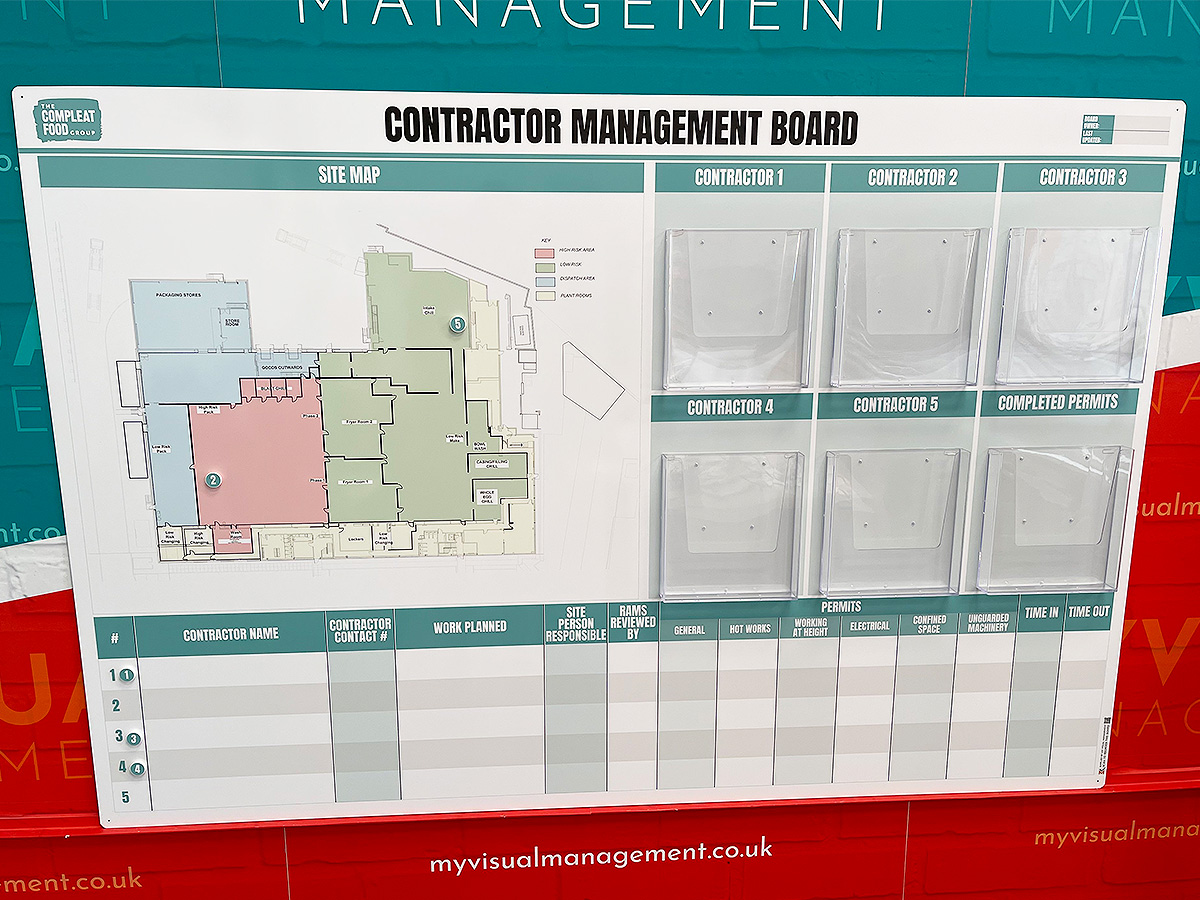
Contractor Management Board

Magnetic counters on site map
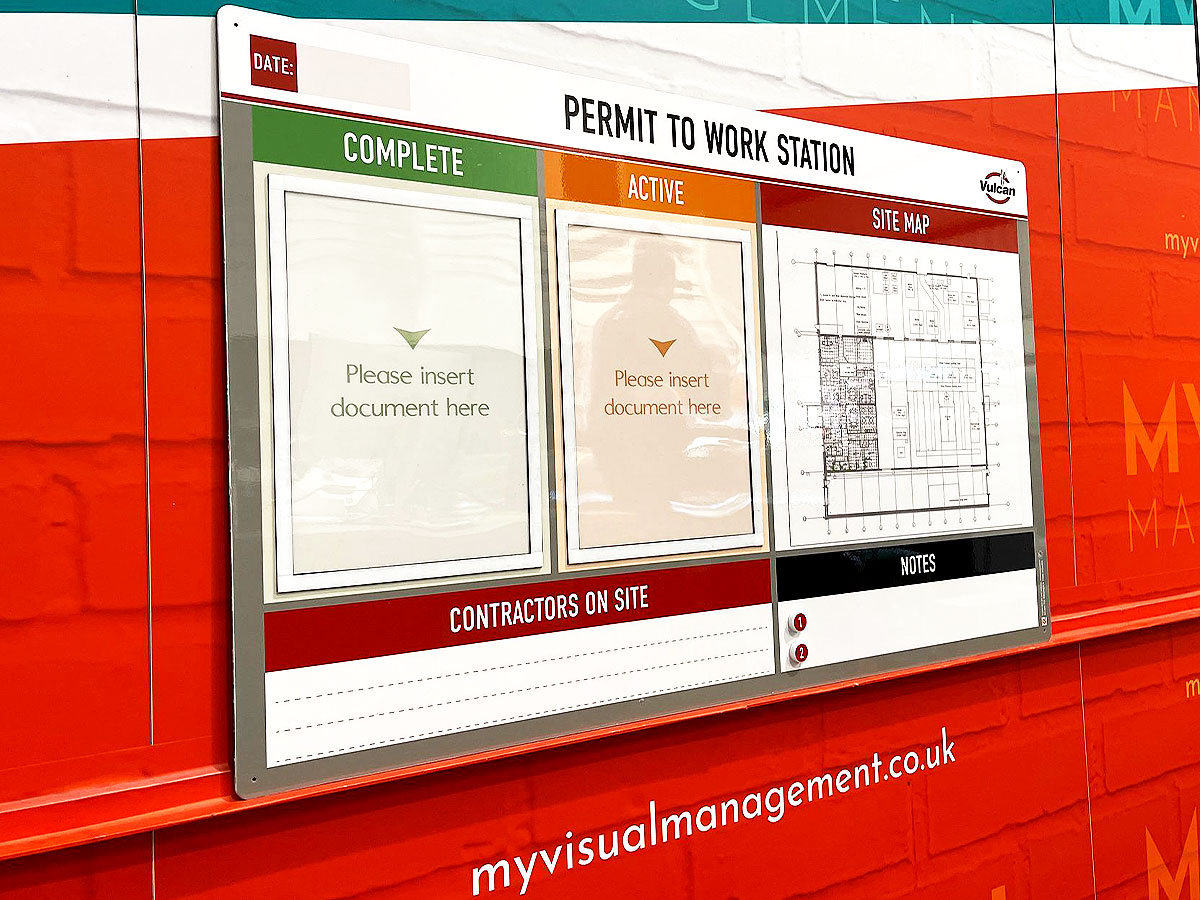
Permit to Work Station

Contractor Management daily briefing

Daily Briefing Board

Permit & Logistics board

Permit board with status sliders

Permit board with status counters
Contractor Permit to Work board

With waterproof document holders

Work Permit Station

Contractor Management & Permits

Daily Briefing Permit board

Contractor board
Contractor board

Multi-sheet document holders

Multi and single sheet document holders

Permit to work signs

Permit magnetic counters

Display plans and permits on your board

With multi-sheet document holders

Colour coding increases engagement

Magnetic overlays make updates easy

Add coloured pins to your site plan

Use to store permit information

Add stainless steel clips

Use colour coding on your board

Add magnetic colour counters

Add board accessories

Magnetic labels on document holders

Multi functional construction board

Overlays are easy to roll up and store

Document holders keep permits safe

Add board accessories

Single and multi-sheet document holders

Choose what information to show
Document holders display information
Dry wipe labels


You May Also Like


Our Approach
We create visual management boards everyday. As a result we have plenty of experience. We work for organisations in food production, the power industry, national rail, pharmaceuticals, education, healthcare, packaging and distribution.
Our team works with a simple idea or sketch and creates a professionally designed layout. This is then turned into a highly functional visual management board.
We offer customised options because we want to create the perfect board for you. So, here are a few examples. We can add magnetic areas or a dry-wipe finish (for use with whiteboard pens). Furthermore, you can choose Red/Green sliders or R.A.G. (Red, Amber, Green) status dials so you can quickly and visually update your board. These are just a few examples of the ways in which our boards can be tailored to meet your needs. You may also be interested in whiteboard overlays that can be used on top of an existing magnetic board.